
Parlourly for Android
- Every feature on this page
- Install from Google Play; updates come through Play
- Your data never leaves the phone
Parlourly for Android
Record every haircut in two taps, write down the day's expenses, take bookings with an advance and send bills on WhatsApp. At night, see what you made. No internet, no customer phone numbers, nothing else to buy.
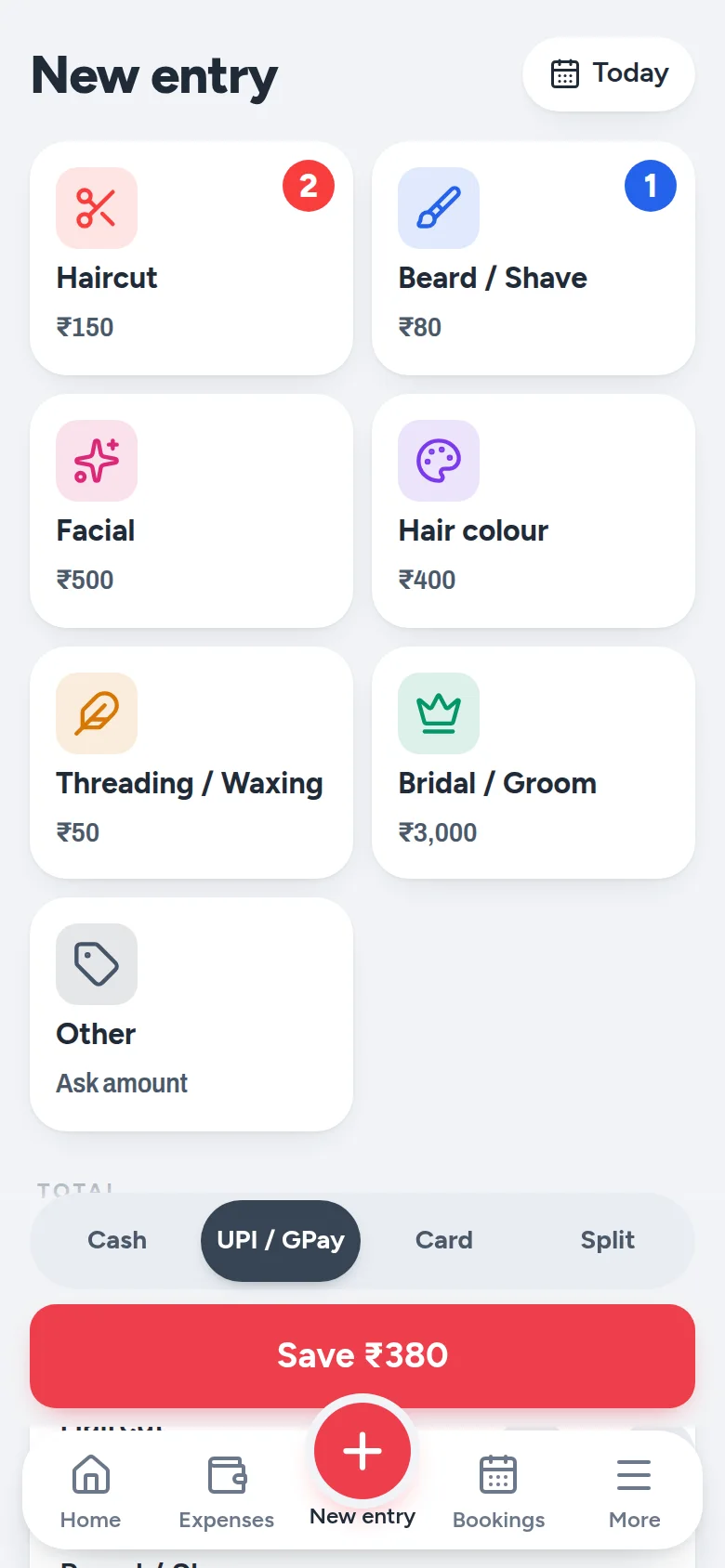
Parlourly for Android, screen by screen
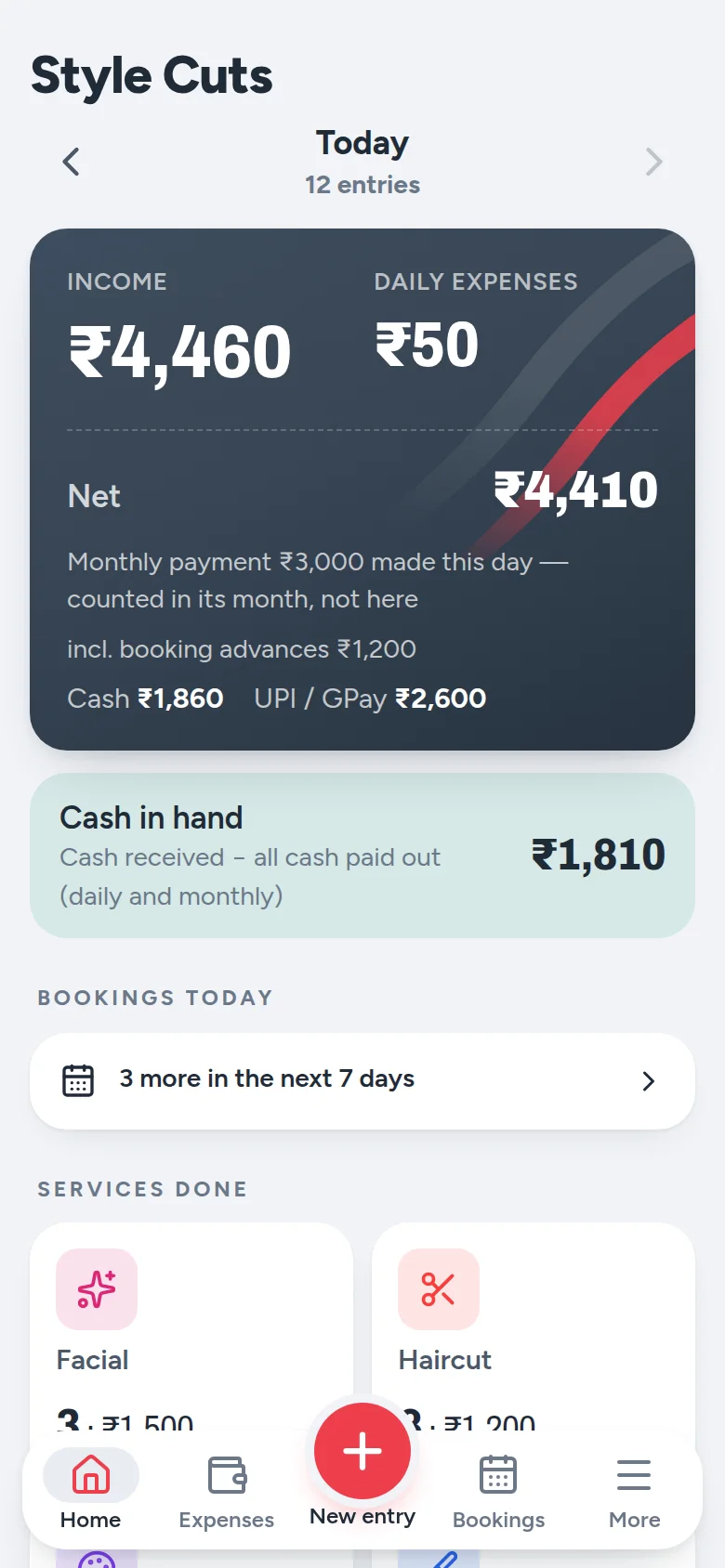
Income, the day's small expenses, what's left, and the cash that should be in your drawer — all on the first screen. See how many haircuts and facials you did, with the amount next to each.
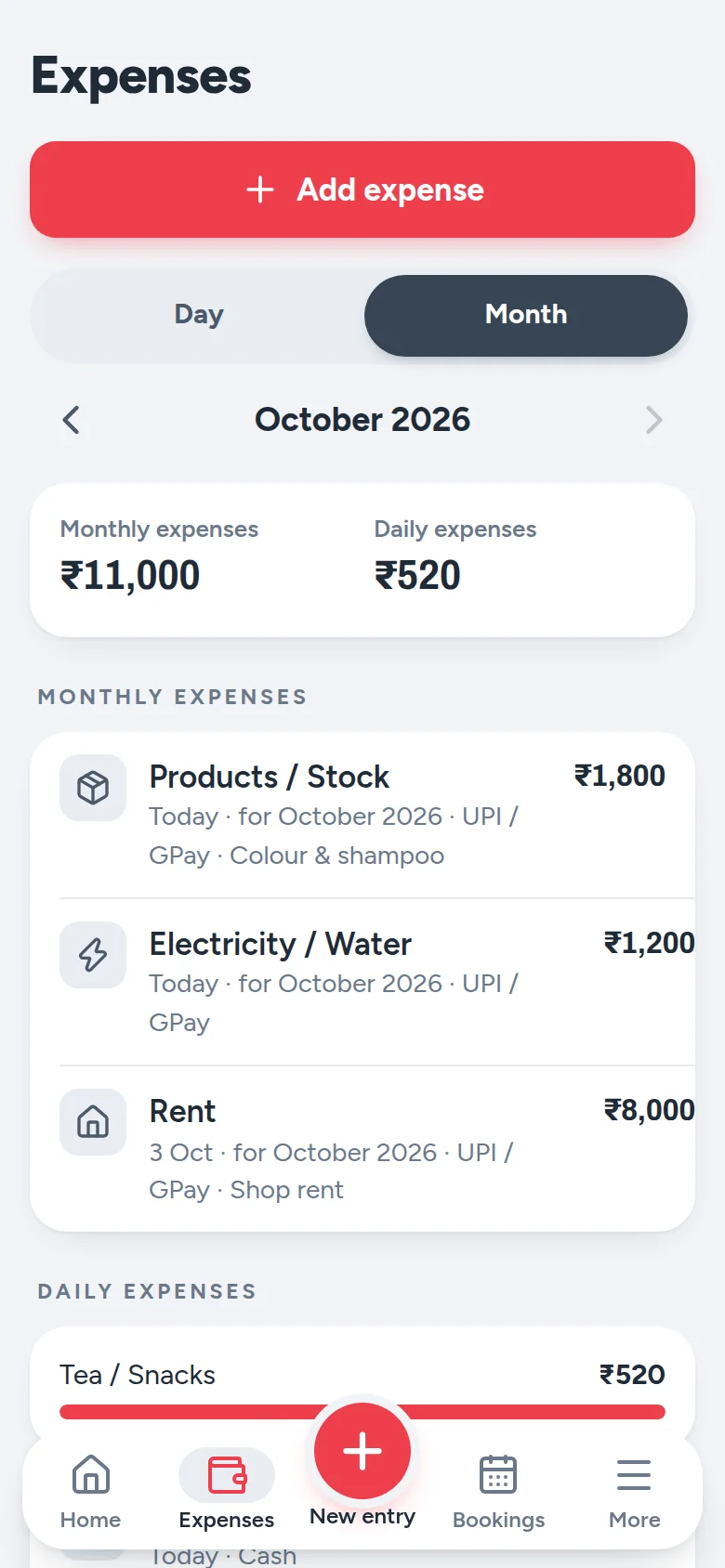
Tea, shampoo, a broken mirror — write it down in a second. Rent, electricity and salaries count for the whole month, not the day you pay them, so every day's profit stays honest.
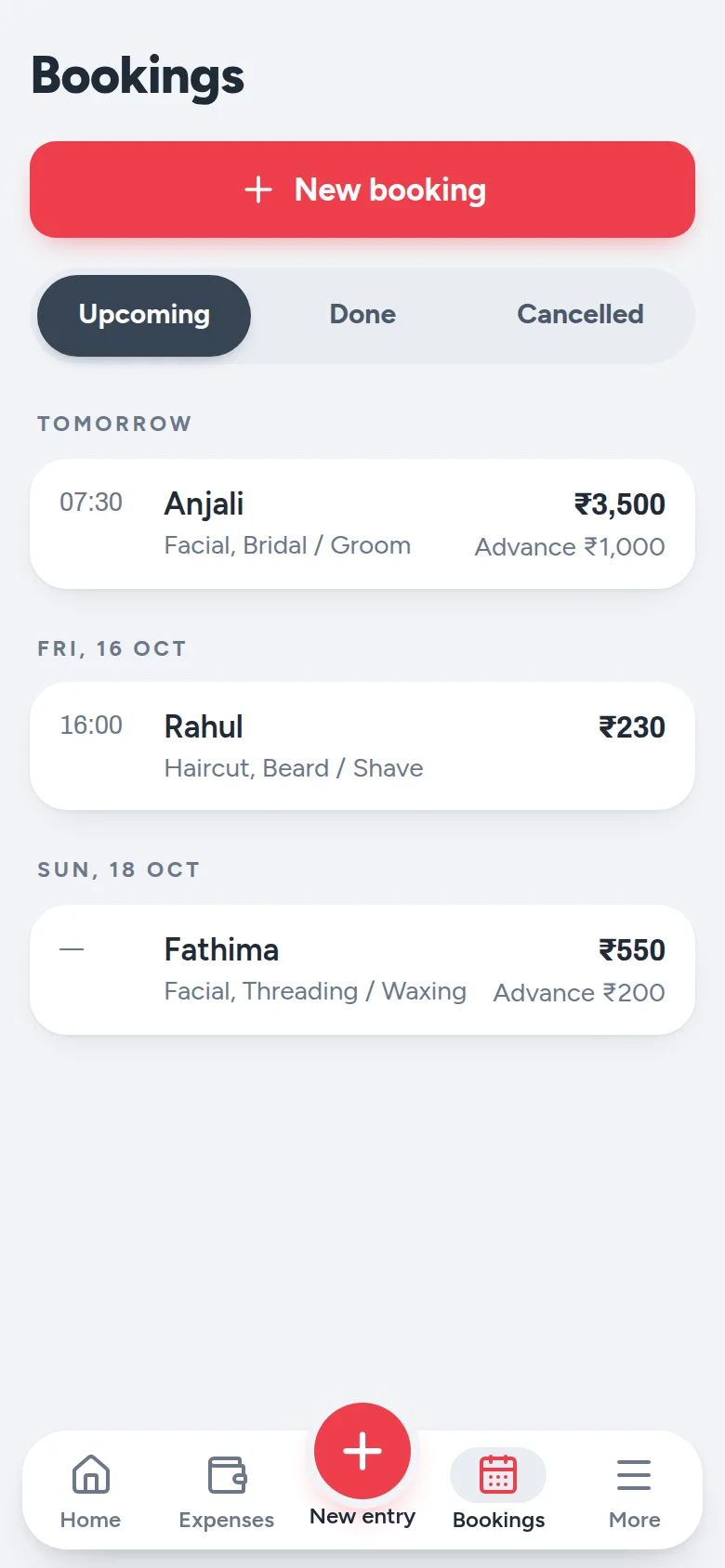
Note the date, the services and the advance. On the day, tap Mark done and collect only the balance. The advance counts on the day you received it — never twice.
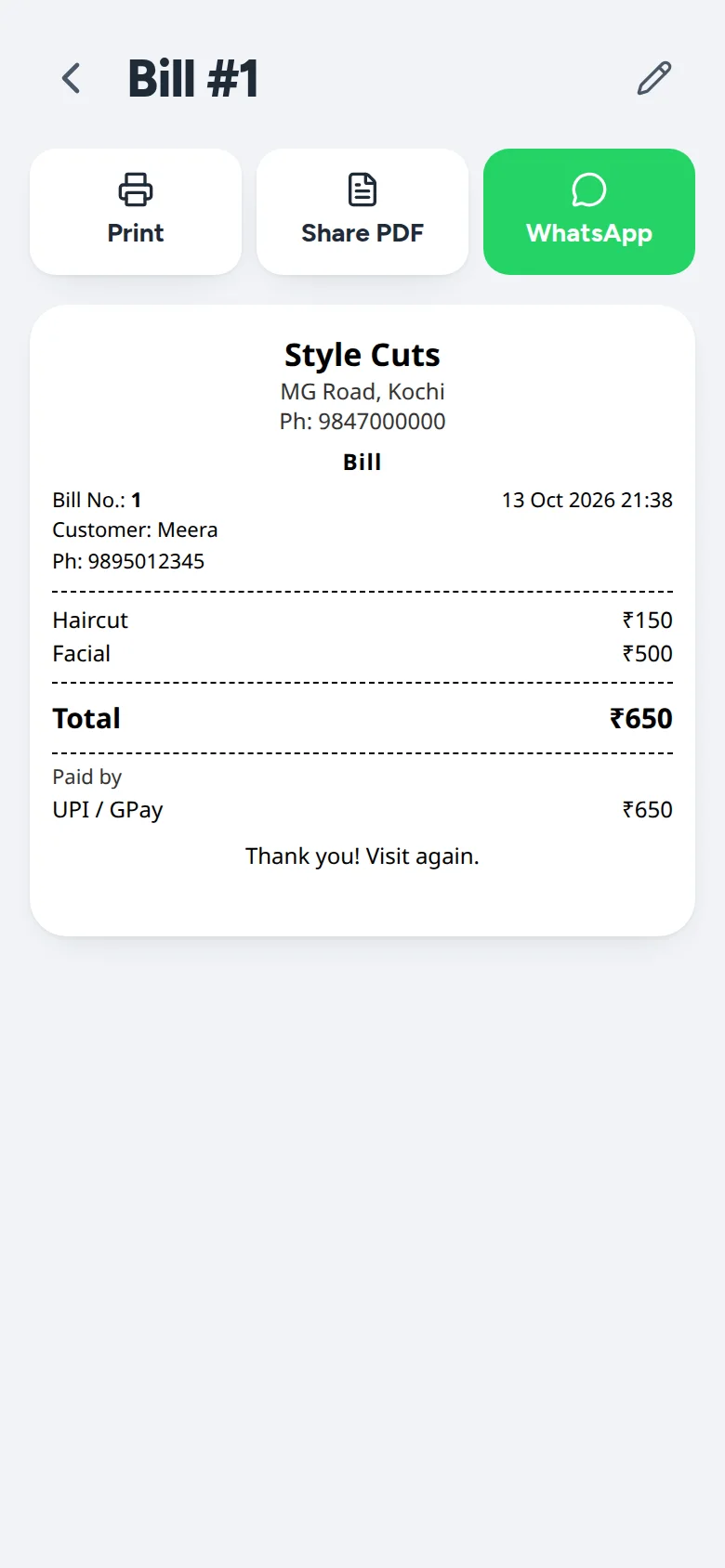
Any saved entry becomes a numbered bill with your salon's name on it — printed on a Bluetooth receipt printer, saved as a PDF, or sent to the customer on WhatsApp. GST is there if you're registered, and off if you're not.
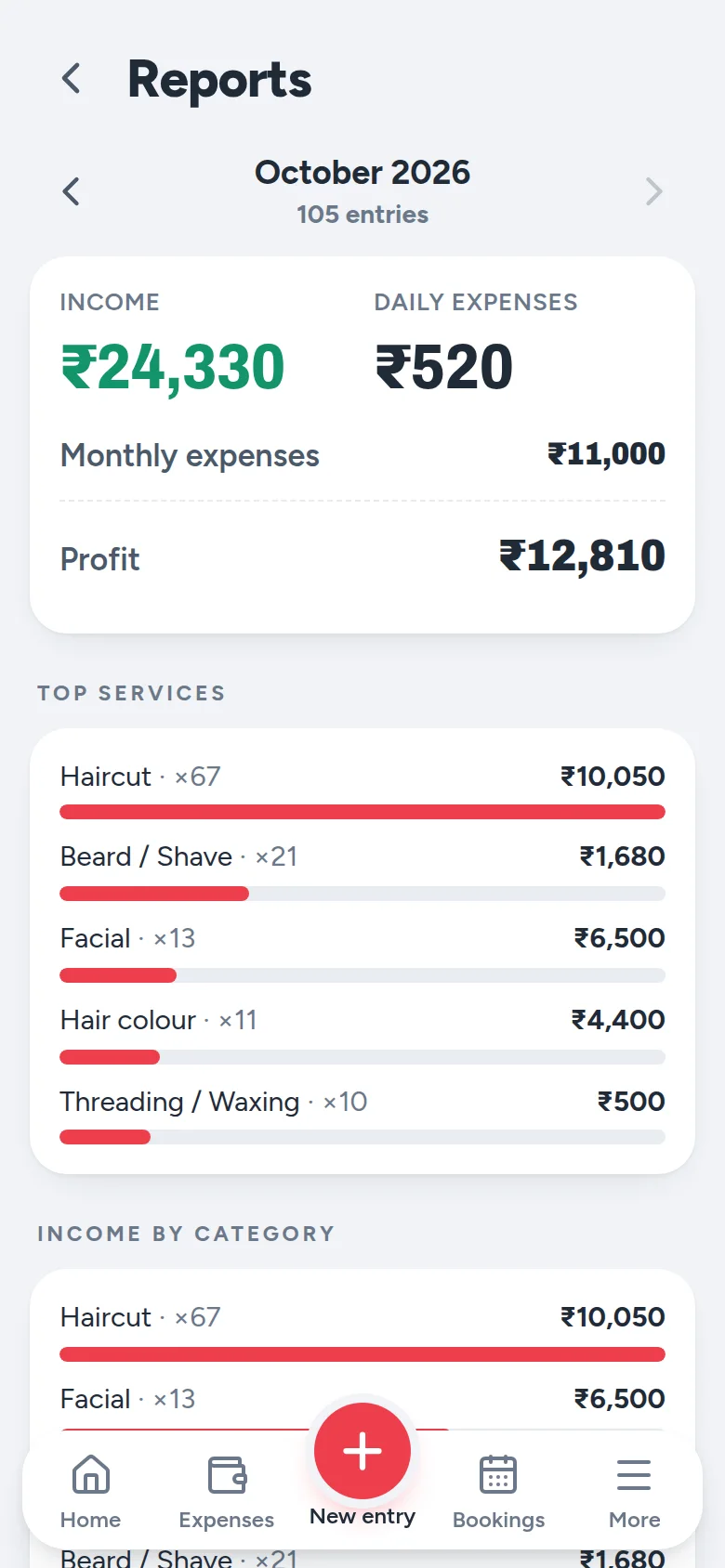
Profit for the month once rent, electricity and salaries are paid. Your top services, where the money went, and every day in a simple table. Export it to Excel for your accountant.
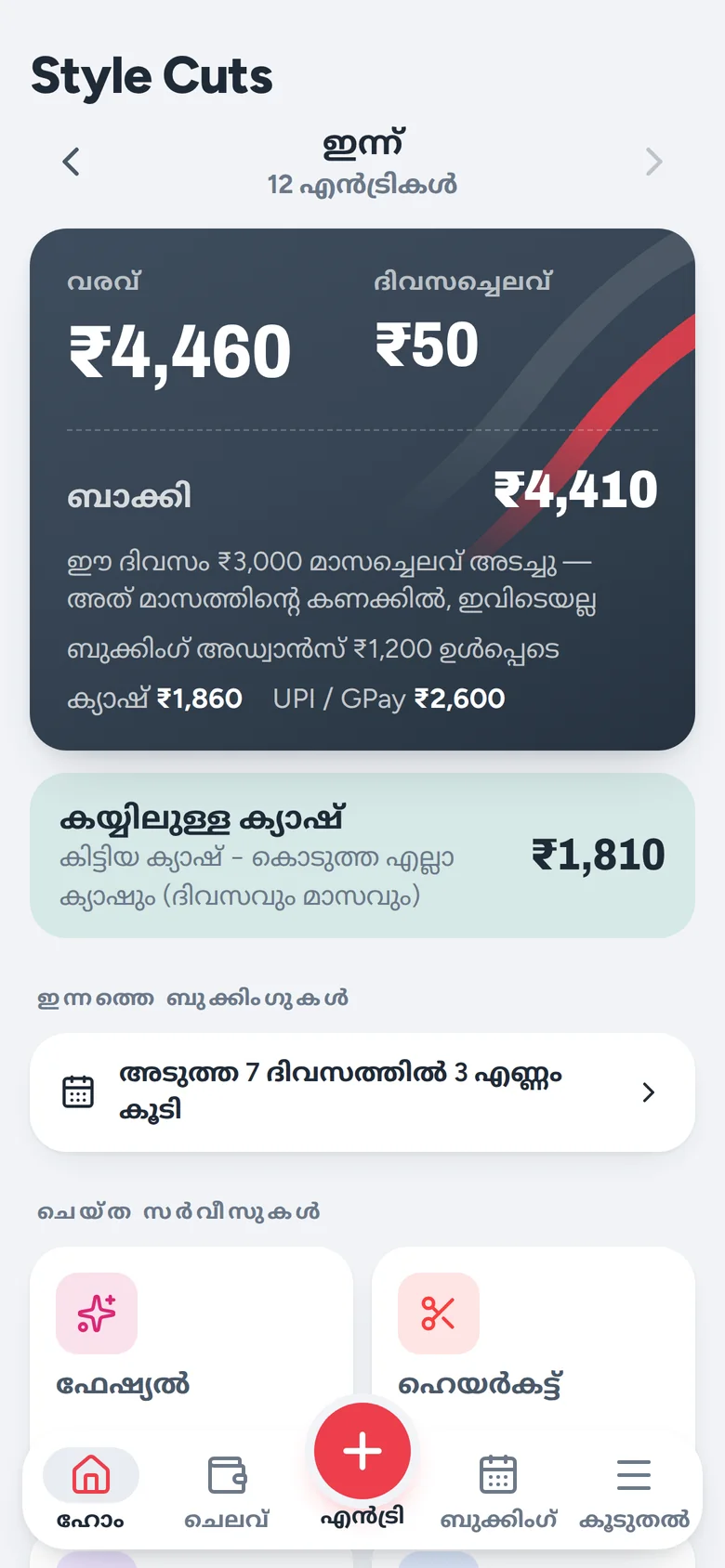
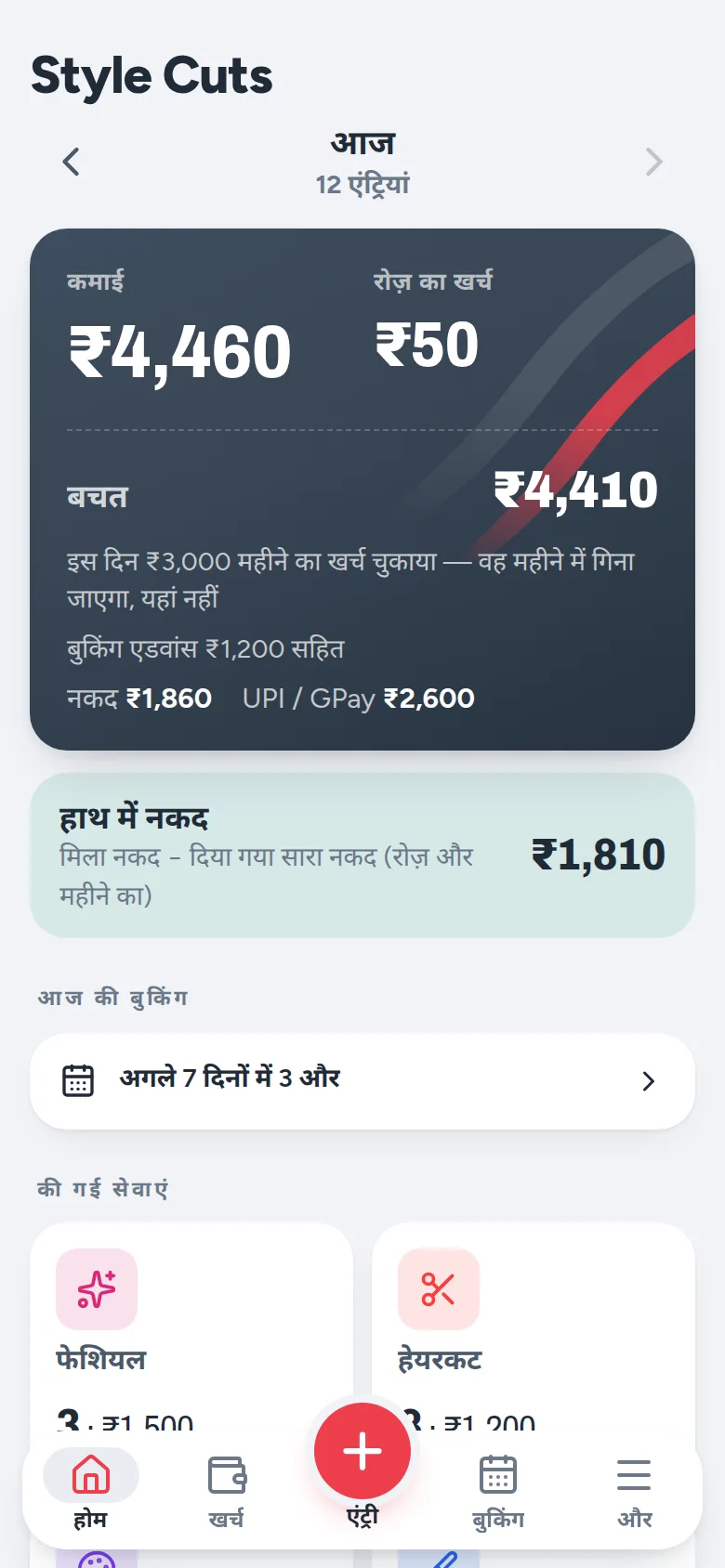
Switch the language any time from Settings — everyone at the counter can use the one they read best. Bills always print in English, so customers and accountants can read them.
Your data, in your hands
Everything you enter lives on your phone. Parlourly copies a backup every day to the SD card or a folder you choose, and you can save one to Google Drive or a pen drive any time. Change phones? Restore the file and carry on.
Price & what you need
Questions
No. Most entries are just "Haircut, ₹150, cash". You only ask for a name or number when the customer wants a bill on WhatsApp, or for a booking.
Choose a backup folder on your SD card once, and Parlourly copies your data there every day. You can also save a copy to Google Drive. On a new phone, install Parlourly and restore the backup file.
Yes — GST is off unless you turn it on. If you are registered, bills show GST included in your price, with CGST and SGST.
Android 8 or newer, including budget phones. It does not need much storage, and it runs on the phone you already use.
Yes. Add your staff and pick who did each customer; Parlourly works out commission and what you still owe them. If each staff member needs their own login on their own phone, look at Parlourly Desktop or Parlourly Cloud.
Parlourly for Android is sold on Google Play. Message us on WhatsApp if you'd like help choosing, or help setting it up with your services and prices.

Send us a message — we'll put Parlourly on your phone with your own services and prices.
Message us on WhatsApp